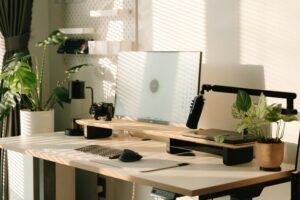
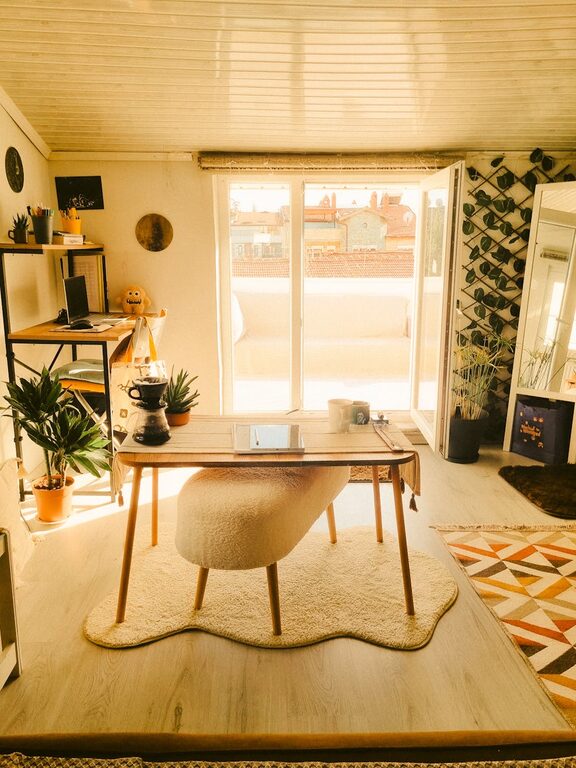
Creating a relaxing home workspace is essential for maintaining focus, reducing stress, and boosting productivity. Whether you work from home full-time or occasionally need a dedicated area for tasks, the right environment can make all the difference. This guide will share practical tips to help you design a workspace that feels comfortable and encourages efficiency.
Why a Relaxing Workspace Matters
A cluttered or uncomfortable work area can lead to distractions, fatigue, and decreased motivation. On the other hand, a calming space helps you stay organized, maintain energy, and work more efficiently. When your workspace supports your well-being, your overall productivity and mood improve.
Choose the Right Location
Assess Your Space
– Pick a quiet area with minimal interruptions.
– If possible, select a spot near a window for natural light.
– Consider how much room you need for your work essentials.
Create Boundaries
– Use room dividers, rugs, or furniture to define your workspace.
– Avoid working from your bed or couch to maintain a clear separation between work and relaxation.
Focus on Comfortable Furniture
Ergonomic Chair
Invest in a chair that supports good posture. Look for adjustable height, lumbar support, and comfortable cushioning to reduce strain during long hours of sitting.
Functional Desk
Choose a desk that fits your space and meets your needs. If space allows, consider a standing desk option to alternate positions throughout the day.
Optimize Lighting
Natural Light
Position your desk to take advantage of daylight, which can enhance mood and focus.
Task Lighting
Add a desk lamp with adjustable brightness to ensure your workspace is well-lit after sunset or on cloudy days. Soft, warm lighting reduces eye strain.
Keep It Organized
Declutter Regularly
Remove unnecessary items to keep your workspace tidy and inviting.
Use Storage Solutions
Incorporate shelves, drawers, or organizers to store papers, office supplies, and electronics neatly.
Cable Management
Use clips or cable sleeves to keep cords orderly and prevent tangling.
Incorporate Calming Elements
Plants
Add some greenery to your workspace. Plants improve air quality and create a soothing atmosphere.
Personal Touches
Display a few meaningful items like photos, artwork, or small decor that inspire and motivate you without causing distraction.
Aromatherapy
Consider a subtle essential oil diffuser with scents like lavender or eucalyptus to help reduce stress.
Manage Noise
Soundproofing
Use rugs, curtains, or foam panels to reduce excess noise if your space is noisy.
Background Music
Soft instrumental music or white noise can improve concentration for some people.
Set a Routine and Boundaries
Work Hours
Establish consistent start and end times to create a sense of normalcy.
Breaks
Schedule regular breaks to stretch, hydrate, and rest your eyes.
Digital Boundaries
Minimize distractions by turning off non-essential notifications and using productivity apps.
Keep Technology Updated and Comfortable
Equipment
Make sure your computer, keyboard, mouse, and headset are comfortable and efficient.
Screen Position
Place your monitor at eye level about an arm’s length away to prevent neck or eye strain.
—
Creating a relaxing home workspace involves thoughtful planning and personalization. By focusing on comfort, organization, and a calming atmosphere, your workspace becomes a place where productivity and well-being go hand in hand. Start with small changes and adjust as you go to find what works best for you.