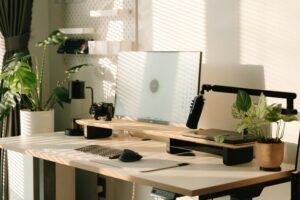
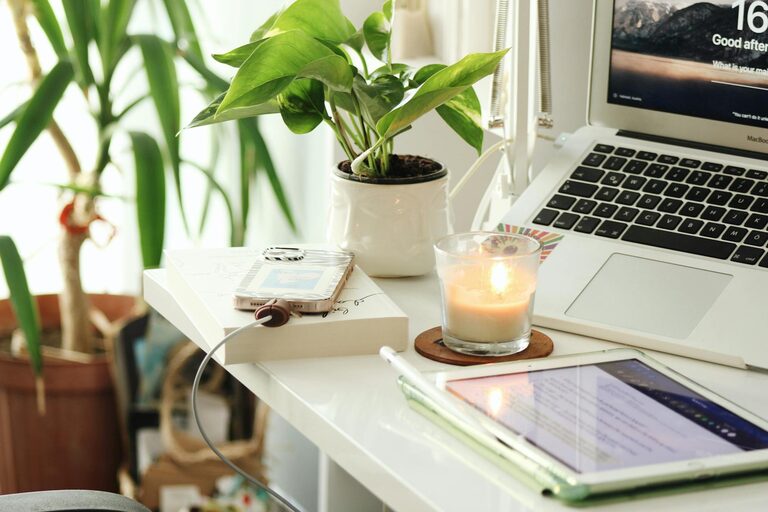
Creating a home office that feels cozy and encourages productivity can make a big difference in your work-from-home experience. Whether you’re working full-time remotely or need a dedicated space for occasional tasks, your environment plays a key role in how focused and comfortable you feel. Here are some tips to help you design a home office that blends warmth with functionality.
Choose the Right Location
Start by selecting a space that works well for your needs and lifestyle.
– Natural Light: Pick a spot near a window if possible. Natural light can boost mood and reduce eye strain.
– Quiet Area: Choose a part of your home away from distractions like TV noise or household traffic.
– Space Considerations: Make sure there’s enough room for your desk, chair, and any equipment you need.
Invest in a Comfortable Chair and Desk
Your furniture should support good posture and comfort, as you’ll be spending long hours at your desk.
– Ergonomic Chair: Look for chairs with adjustable height, lumbar support, and cushioning.
– Desk Height: Find a desk that lets your arms rest comfortably at a 90-degree angle while typing.
– Standing Desk Options: Consider a desk that allows switching between sitting and standing to reduce fatigue.
Organize Your Space Efficiently
Keeping your desk and office area organized helps maintain focus and reduces stress.
– Storage Solutions: Use shelves, drawers, or filing cabinets to keep paperwork and supplies tidy.
– Cable Management: Use clips or sleeves to prevent cords from tangling.
– Daily Declutter: Spend a few minutes at the end of each day tidying up.
Personalize to Make It Cozy
Add touches that make your space inviting and uniquely yours.
– Plants: Small indoor plants improve air quality and add a calming green element.
– Soft Textures: Include a cozy rug, throw blanket, or cushions to add warmth.
– Artwork or Photos: Hang pictures or art that inspire or relax you.
– Lighting: Use soft desk or floor lamps for a warm, welcoming glow alongside your main light.
Optimize Your Technology Setup
Make sure your tech set-up is efficient and comfortable to use.
– Monitor Position: Position your monitor at eye level to avoid neck strain.
– Keyboard and Mouse: Ergonomic accessories can help prevent repetitive strain injuries.
– Good Wi-Fi: Ensure a strong internet connection to avoid interruptions.
– Headphones: Use noise-canceling headphones if you have background noise.
Establish Clear Boundaries
A dedicated space helps mentally separate work from home life.
– Defined Workspace: Choose a clearly designated area to work, avoiding places like the kitchen table if possible.
– Work Hours: Set regular working hours and stick to them.
– Signage: If you share your home, use signs or signals to indicate when you shouldn’t be disturbed.
Incorporate Break-Friendly Elements
Taking regular breaks helps maintain productivity and well-being.
– Comfortable Seating: Include a small lounge chair or corner where you can relax during breaks.
– Water and Snacks: Keep water and healthy snacks nearby to stay energized.
– Stretching Area: Make space for light stretching exercises or a yoga mat.
Keep It Clutter-Free and Functional
A clutter-free office reduces stress and creates a positive work environment.
– Minimalist Approach: Only keep essential items on your desk.
– Regular Purging: Periodically go through your supplies and remove what you no longer need.
– Functional Decor: Choose office accessories that are both attractive and useful, like attractive storage boxes or pen holders.
Final Thoughts
Creating a home office space that balances coziness and productivity doesn’t have to be complicated. By focusing on comfort, organization, and personal touches, you can design a work environment that supports both your professional tasks and your well-being. Remember, the best home office is one that feels inviting and helps you stay focused throughout your day. Experiment with these tips and adjust your setup until it perfectly fits your needs.