
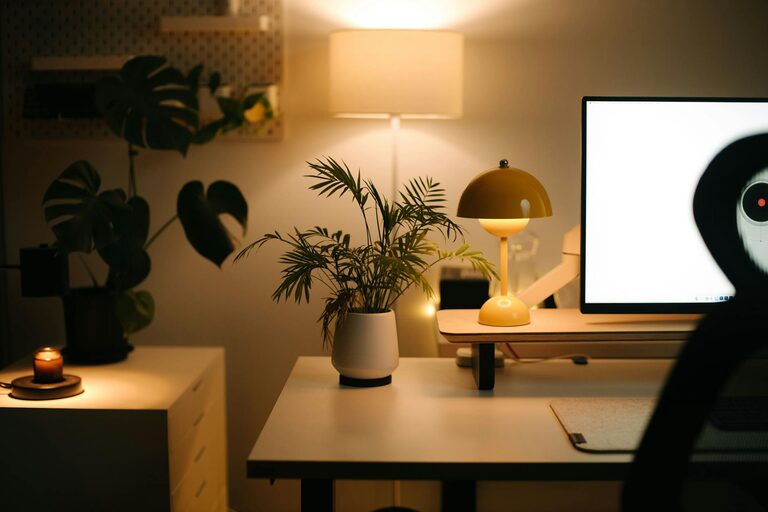
Creating a home office that balances coziness with productivity can transform the way you work from home. Whether you’re new to remote work or have been doing it for a while, having a space that inspires focus and comfort is essential. Here are some helpful tips to design a home office that you’ll enjoy spending time in, while also boosting your productivity.
Choose the Right Location
Selecting the best spot in your home for your office is the foundation for creating a great workspace.
– Natural Light: Try to set up near a window to take advantage of natural light. It helps reduce eye strain and improves mood.
– Minimal Distractions: Choose a quiet area away from high-traffic zones like the kitchen or living room.
– Space Considerations: Ensure there’s enough room for your desk, chair, and storage without feeling cramped.
Select Comfortable and Supportive Furniture
Your furniture plays a crucial role in creating a welcoming and functional space.
– Ergonomic Chair: Invest in a chair that supports good posture. Comfort will keep you focused and reduce the risk of back pain.
– Desk Size: Pick a desk that fits your equipment and provides enough surface area to work comfortably.
– Flexible Options: Consider adjustable desks or sit-stand desks to vary your posture throughout the day.
Optimize Lighting
Proper lighting sets the tone of your workspace and helps reduce fatigue.
– Layered Lighting: Combine natural light with ambient and task lighting.
– Desk Lamp: A lamp with adjustable brightness can help focus on detailed tasks.
– Avoid Glare: Position screens perpendicular to windows to minimize glare on monitors.
Personalize Your Space
Adding personal touches makes your office inviting and inspires creativity.
– Decor: Use artwork, plants, or meaningful objects that make you happy.
– Colors: Choose calming or energizing color schemes based on your preferences. Soft blues and greens can be soothing, while yellows and oranges might spark creativity.
– Textures: Incorporate cozy elements like rugs, cushions, or a soft throw.
Organize for Efficiency
A clutter-free environment supports clear thinking and smooth workflow.
– Storage Solutions: Use shelves, filing cabinets, and desk organizers to keep items tidy and accessible.
– Cable Management: Use clips or sleeves to manage cords and wires neatly.
– Digital Organization: Keep your desktop and digital files organized for quicker access.
Incorporate Technology Thoughtfully
Technology is essential but too much can overwhelm your space.
– Essential Devices: Only keep necessary gadgets within easy reach.
– Quality Equipment: Invest in reliable hardware such as a good monitor, keyboard, and mouse.
– Wireless Options: Wireless devices can reduce clutter and improve mobility.
Promote Comfort and Well-being
Taking care of your physical and mental health contributes to productivity.
– Temperature Control: Have a fan or heater nearby for adjustable comfort.
– Break Area: If possible, create a small space for stretching or relaxation.
– Air Quality: Add an air purifier or some green plants to freshen the air.
Set Boundaries
Maintaining work-life balance starts with clear boundaries in your home office.
– Defined Workspace: Physically separate your office space from living areas.
– Work Hours: Set consistent work hours and stick to them.
– Signage: If you share your home, use a simple sign to indicate when you’re busy.
Final Thoughts
Designing a cozy and productive home office is about creating a space where you feel comfortable and motivated to work. By selecting the right location, choosing ergonomic furniture, optimizing lighting, and keeping the area organized, you set yourself up for success. Personal touches and a focus on well-being further enhance the experience. With these tips, you can enjoy working from home without sacrificing comfort or productivity.