
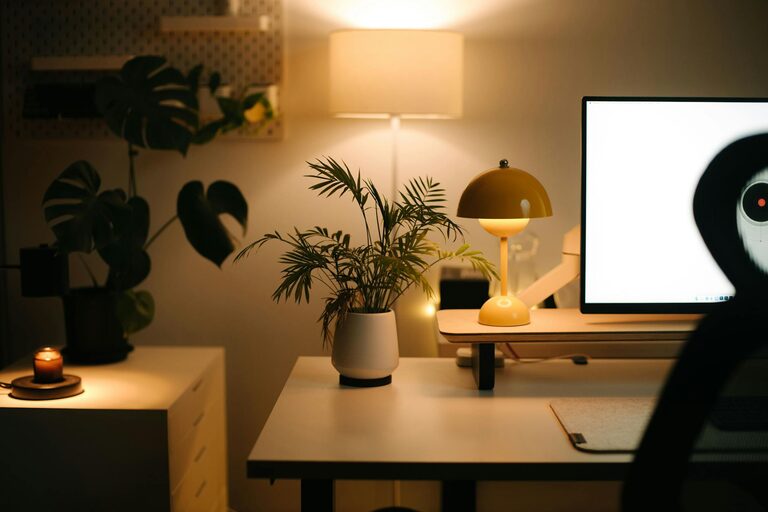
Creating a home office that feels both cozy and productive can be a game-changer in your daily routine. Whether you work remotely full-time or need a dedicated spot for occasional tasks, designing a space that inspires focus and comfort helps you stay motivated and efficient. In this post, we’ll explore practical tips to help you set up an inviting and effective home office.
Why a Cozy Home Office Matters
A cozy office environment doesn’t just look nice—it can actually improve how you work. Comfort reduces distractions caused by discomfort or clutter, while a warm atmosphere helps reduce stress. On the other hand, a productive space meets your work needs, fosters focus, and minimizes interruptions.
Striking a balance between comfort and functionality is key to creating a home office you love.
Choosing the Right Location
Pick a Quiet, Dedicated Spot
Select a space in your home where you can concentrate with minimal noise. If possible, choose a room or corner that can be devoted solely to work. Avoid areas with heavy foot traffic or frequent distractions.
Consider Natural Light
Natural light improves mood and alertness. Position your desk near windows to benefit from daylight. If natural light is limited, invest in good-quality artificial lighting that mimics daylight to reduce eye strain.
Comfortable and Functional Furniture
Invest in an Ergonomic Chair
Comfortable seating is essential since you may spend long hours at your desk. Look for chairs with adjustable height, lumbar support, and cushioned seats to maintain good posture.
Choose a Suitable Desk
Your desk should fit the available space while providing enough surface area for your computer, paperwork, and other essentials. Consider desks with built-in storage or shelves to keep things organized.
Use Adjustable Accessories
Monitor stands, keyboard trays, and footrests can improve ergonomics and reduce strain. Adjustable furniture elements help you customize your workspace to your body’s needs.
Organizing Your Space
Declutter Regularly
A tidy workspace helps clear your mind. Remove unnecessary items and keep only the essentials within reach. Use drawer organizers or baskets to keep small items sorted.
Smart Storage Solutions
Maximize vertical space with wall shelves or pegboards. Use filing cabinets or bins to store documents and supplies neatly. Label storage containers to find things quickly.
Cable Management
Keep cords and cables organized and out of sight with clips, sleeves, or cable boxes. This reduces a tangled mess and makes cleaning your desk easier.
Personalize Your Workspace
Add Warmth with Textiles
Soft rugs, cushions, and curtains add texture and warmth to your office. These items make the space cozier and help absorb noise.
Use Plants
Plants improve air quality and add a touch of nature, which can boost your mood. Choose low-maintenance plants like succulents, snake plants, or pothos.
Display Meaningful Items
Photos, artwork, or inspirational quotes can make your workspace feel inviting. Keep these personal touches minimal to avoid clutter but enough to inspire you.
Lighting Tips for Productivity and Comfort
Layer Your Lighting
Combine overhead lighting with task lamps for a balanced setup. Adjustable desk lamps help you focus light where you need it most during detailed work.
Avoid Glare
Position monitors and light sources to prevent glare on screens. Use blinds or curtains to control daylight intensity throughout the day.
Creating Boundaries and Establishing Routine
Set Clear Work Hours
Having regular work hours helps maintain a healthy work-life balance, especially when working from home. Communicate your schedule with family members to minimize interruptions.
Use Visual Boundaries
If your workspace is part of another room, use room dividers or curtains to visually separate your office area. This separation helps your brain switch between work and relaxation modes.
Take Breaks
Designate a spot to take breaks away from your desk. Stretching, moving around, and stepping outside for fresh air can recharge your focus.
Technology and Connectivity
Reliable Internet
Make sure your workspace has a strong, stable internet connection. Position your router nearby or use extenders if needed.
Keep Essentials Handy
Organize your tech tools like chargers, headphones, and external drives within easy reach. Using wireless devices can reduce clutter.
Backup and Security
Regularly back up your work and install security software to protect your data. This peace of mind helps you focus on your tasks.
Final Thoughts
Designing a cozy and productive home office is about blending comfort with efficiency. Small changes in furniture, lighting, and organization can drastically improve your work experience. Remember to personalize your space and create boundaries that help you focus while feeling at ease.
With the right setup, your home office becomes a place you look forward to working in every day. Start by assessing your needs, then gradually add elements that support both your well-being and work goals. Soon, you’ll have a space that nurtures productivity and makes working from home a pleasure.